
Web platform
AvailableLessonInk
Groups, attendance, and grading that run with zero Wi-Fi.
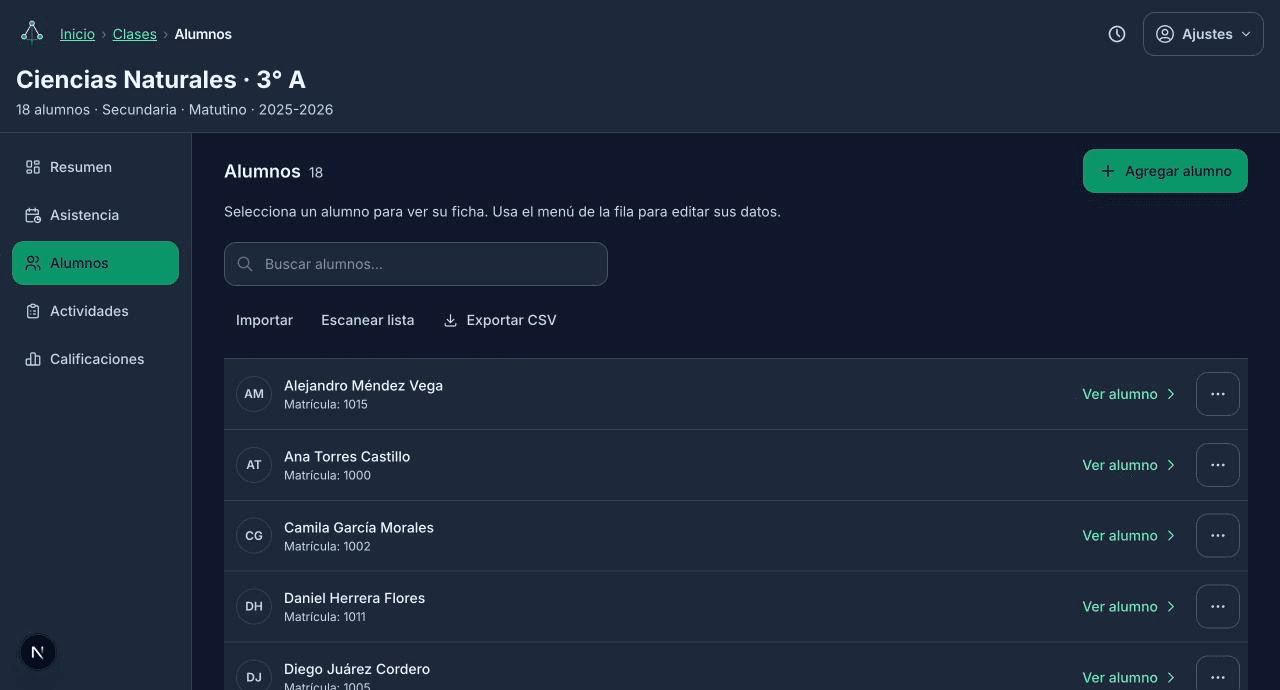
Groups & rosters photograph a class list and AI reads every student's name — or add them by hand.
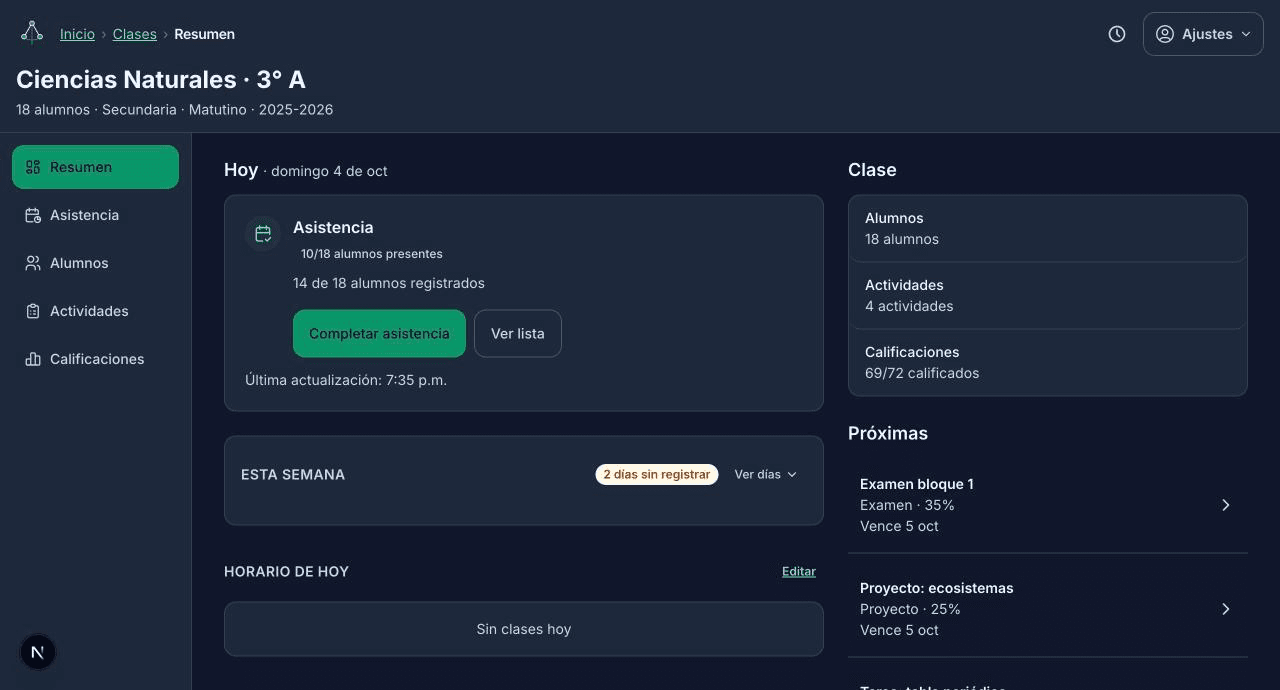
Attendance roll call one guided pass through today's whole schedule, marked in taps or keystrokes.
Grading per activity or in bulk, auto-weighted by term, with pass/fail rules built in.
Every record saves to the device first — nothing waits on a connection.
Reach out for access.
How it works
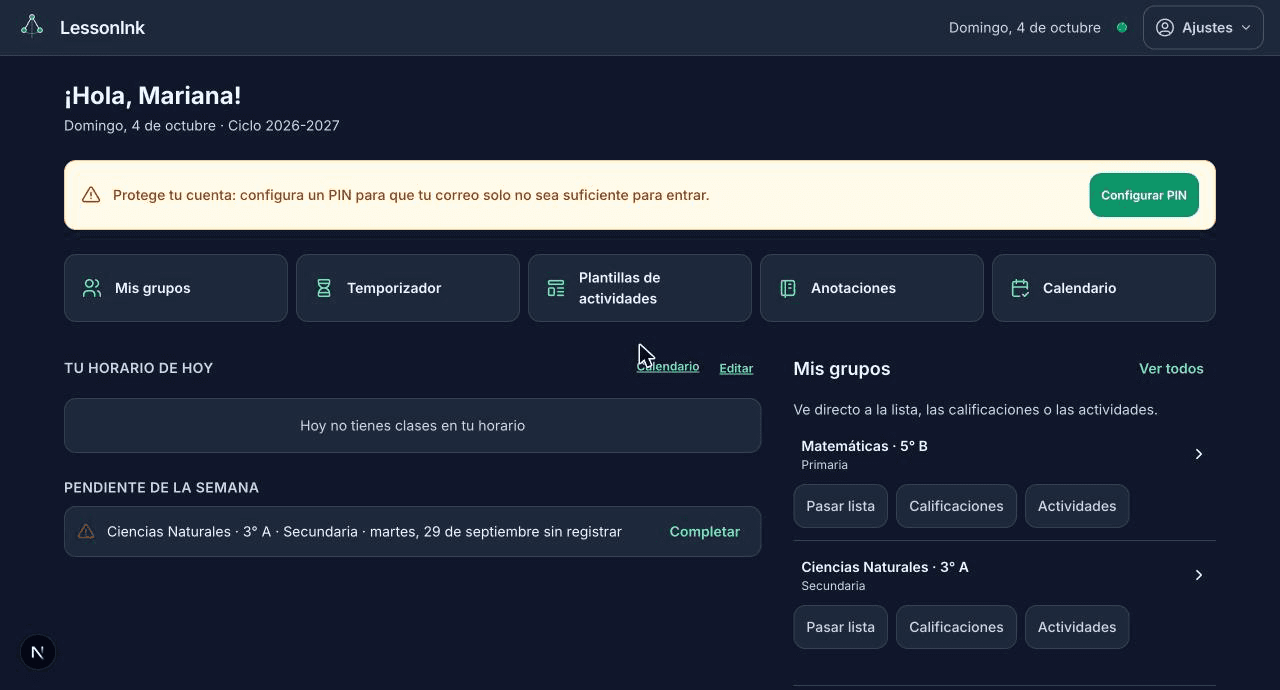
A full teacher workflow, not just a planner.
Groups, attendance, and grading are the daily driver. Planning and reminders come along for free.
- 01
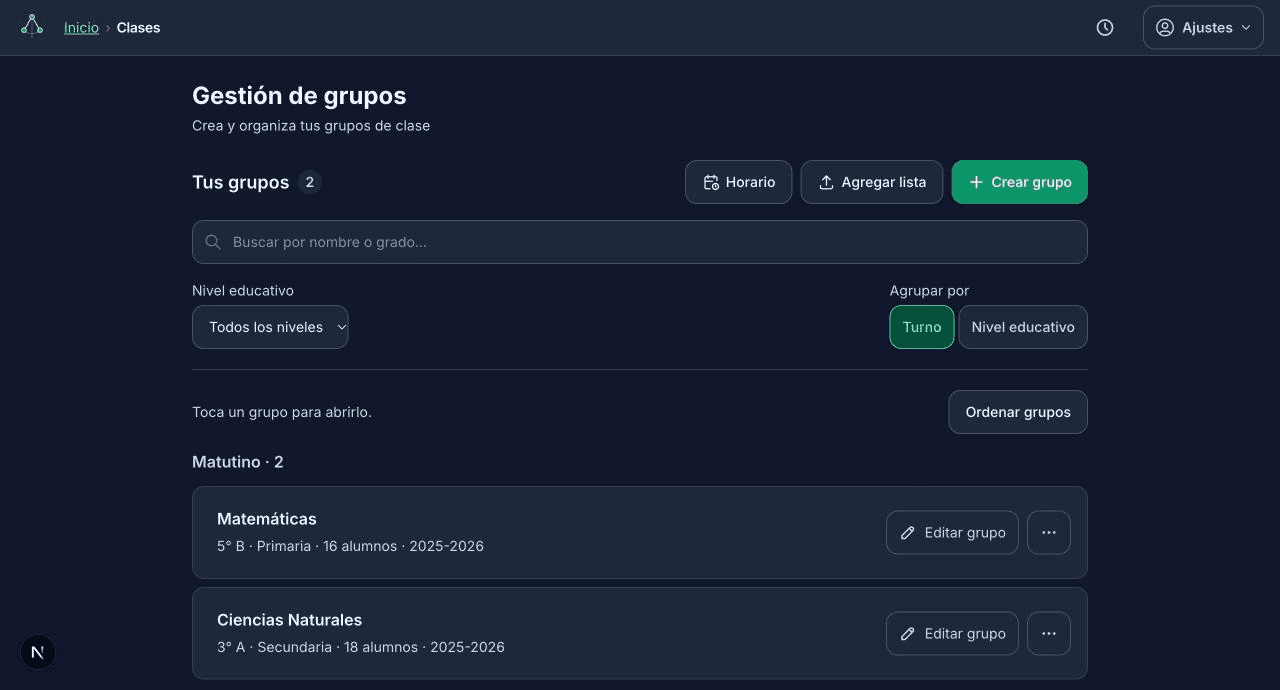
Scan or build your groups
Photograph a class list and LessonInk's AI reads the group's grade, section, and every student's name — or add groups and students by hand.
- 02
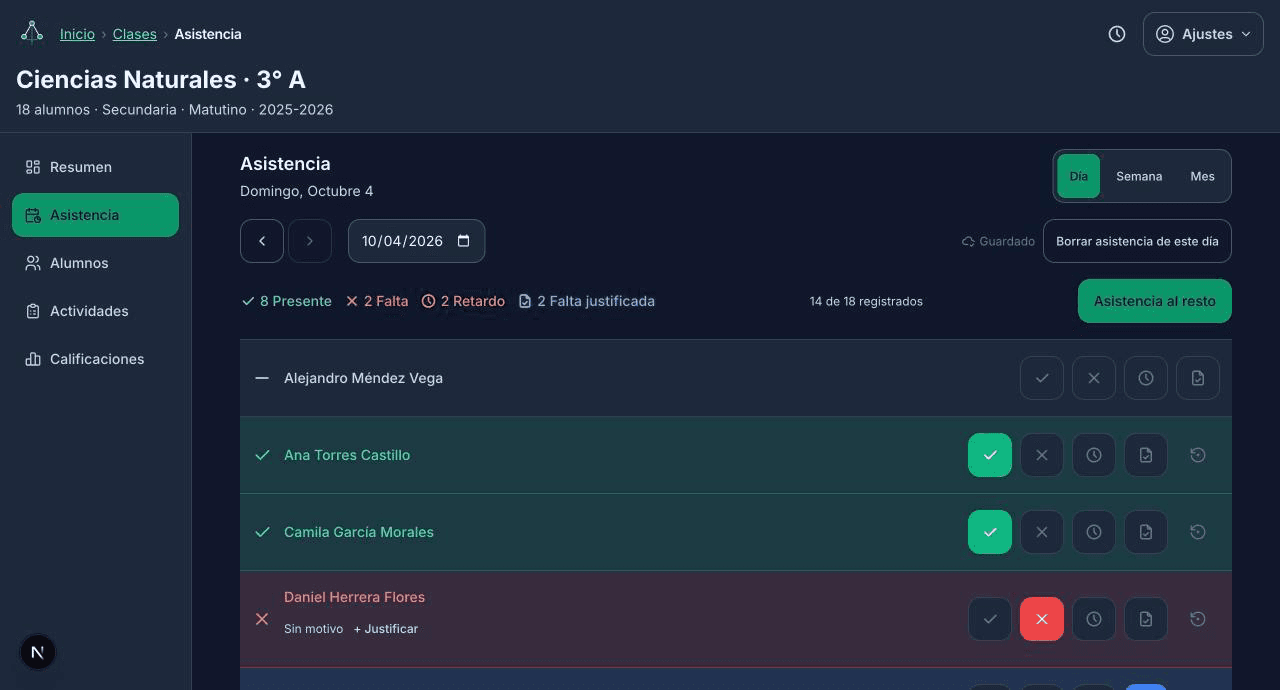
Run attendance in order
Tap /run and it walks you through every class on today's schedule in turn, marking present, absent, or late — on the device, synced once you're back online.
- 03
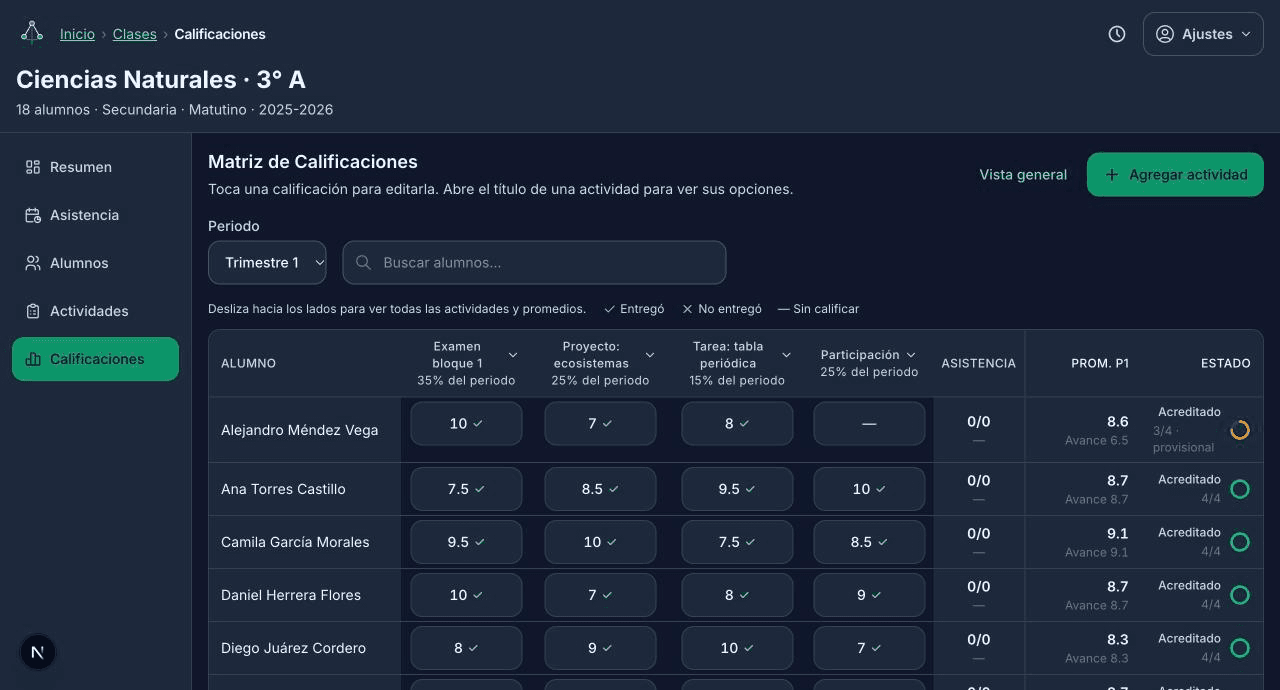
Grade, plan, and report
Enter grades per activity or update a whole class at once, track what's still pending across every group, and print a student report when you need one.
Scan or build your groups
Run attendance in order
Grade, plan, and report
1 of 3
Features
Built for classrooms with no reliable Wi-Fi.
Groups & rosters, scanned in
Photograph a seating chart or class list and LessonInk's AI (Claude/OpenAI vision) reads the group header and every student's name — nothing is stored server-side, it saves straight to the device.
Guided attendance roll call
A single /run flow walks through every class scheduled for today in order, with keyboard shortcuts for fast marking and a visible sync status per record.
Grading, solo or in bulk
Grade one student at a time or update many at once — mark delivered, missing, or scored, with undo — and a per-term matrix applies each activity's weight and accreditation rules automatically.
Pending work, across every group
One dashboard panel surfaces everything still ungraded or missing, due up to today, across every active group for the current school year.
Printable reports & gradebook export
Generate a per-student report with teacher comments ready to print or save as a PDF, or export the full gradebook to CSV in one click.
Schedule, reminders, and a lesson timer
A weekly class schedule drives the attendance run and a local reminder before each class starts; a built-in timer handles lesson segments and transitions.
A Canva planner you can write on
Import a Canva-designed PDF planner, tap its own links to navigate, and handwrite notes or sketches on top with pressure-sensitive digital ink — same offline-first storage as everything else.
Groups & rosters, scanned in
Guided attendance roll call
1 of 2
Get LessonInk
Groups, attendance, and grading that run with zero Wi-Fi.
Get in touchReach out for access.